
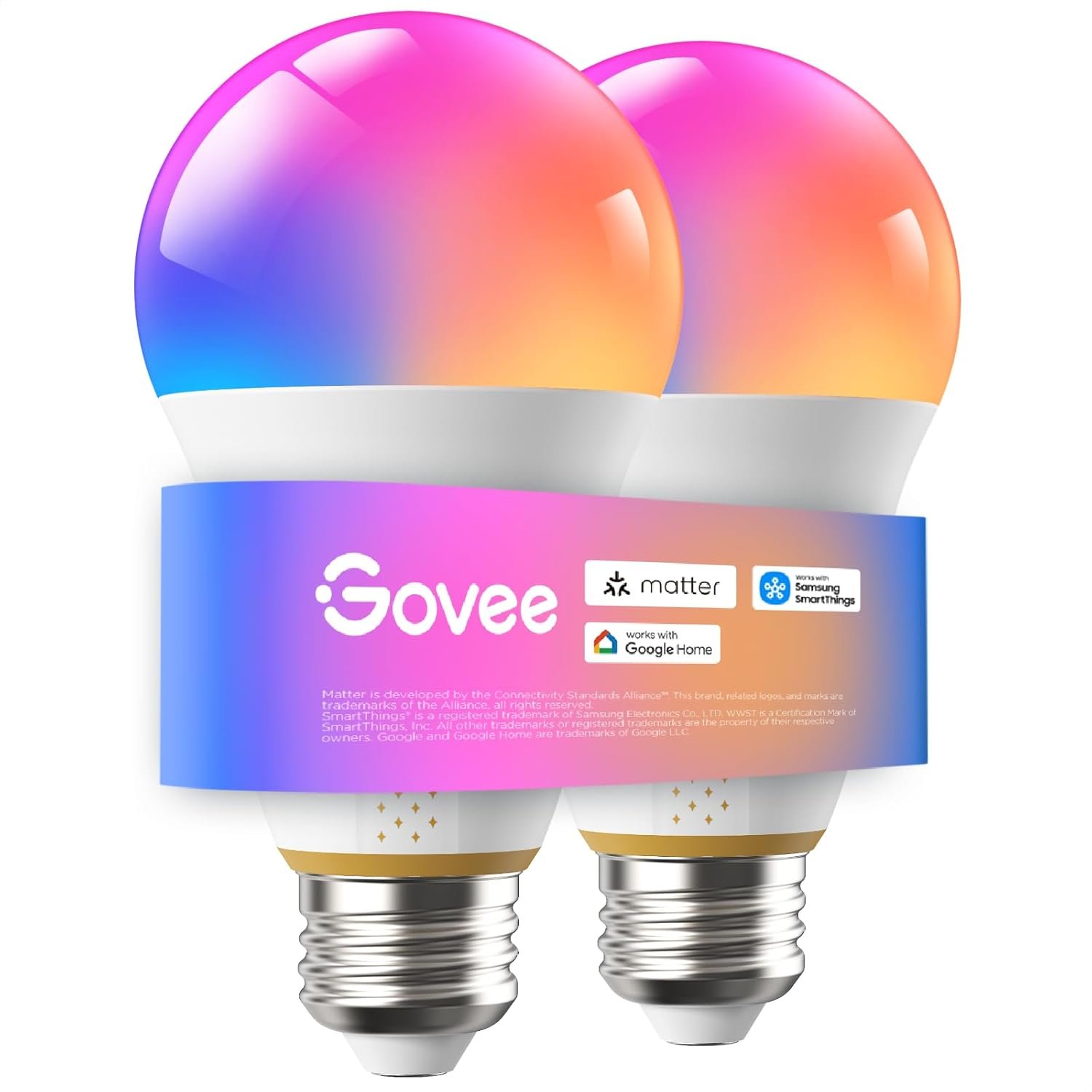
Govee 1600 Lumens Smart Light Bulbs, A21 LED Bulbs 100W Equivalent for Living Room, RGBWW Color Changing Light Bulbs Compatible with Matter, Alexa & SmartThings, CRI 90, E26 Base, 2.4GHz Only, 2-Pack
$39.99
Related Products


From the brand


Govee Smart Light Bulbs
Govee Smart Ceiling Lights
Govee Smart Recessed Lighting
Govee Indoor Lights
Govee floor lamp
Govee Color-Match TV Backlight
Govee Smart Plug
Premium Color Accuracy: Powered by LuminBlend+, these Govee Smart Light Bulbs deliver superior color consistency across all brightness levels. Experience true-to-life colors with every adjustment, from subtle ambiance to brilliant illumination.
Powerful Task Lighting: Our A21 LED light bulb delivers 1600 lumens with 90+ CRI for exceptional color fidelity. Featuring an adjustable white from warm 1000K to cool 10000K, customize light from cozy to cool.(Update the app firmware to version 1.00.24.)
Mood Immersion: Set the right mood instantly with preset scene modes, or unleash your creativity by customizing colors in the app. These 1600 lumens led light bulbs offer a truly personalized lighting experience.(Note: Not for use with dimmer switches.)
Seamless Smart Control: Compatible with Alexa, Google Assistant, Matter, and SmartThings for voice and app control. Automate your lighting with schedules and sunrise/sunset routines for a hands-free smart home experience.(Note: Doesn’t support 5G.)
Amplify Your Entertainment: This E26 bulb features a music sync mode where lights dance to the beat, capable of creating a unified light show by synchronizing with all your other Govee lighting products.
7 reviews for Govee 1600 Lumens Smart Light Bulbs, A21 LED Bulbs 100W Equivalent for Living Room, RGBWW Color Changing Light Bulbs Compatible with Matter, Alexa & SmartThings, CRI 90, E26 Base, 2.4GHz Only, 2-Pack
Add a review
$39.99
G Reg –
Easy hook up, and bright
Not a fan of the high price even with my 10 dollar off coupon for the Govee Bulbs, but I do like the quality and the ability to turn them off remotely. Also they are brighter than a different model number Govee set that I have which was why i bought them. These are comparible to a 100w incandecent light bulb.
Richie –
Smart Home Link Travails (First Time)
I noticed that these light bulbs are compatible with Matter, which means I can control the lights with not only Alexa or Google Home, but I can also control them using Apple’s Siri on my iPhone, iPad, HomePod mini, etc.. Not to mention, these are a bit heavier than I ones I had before (A19). Also the delivery was quick, thanks for that (Scheduled for April 23, arrived on the 18th after buying them on the 17th)!I set them up for pairing, only to run into a bit of issues when trying to control them between Apple Homekit and Google Home.For example, the lights may not change colors properly or one of the lights may not work all the time when I tell Siri or Google to change the colors or turn them off or on, I don’t know to properly explain it, even if I tried. Apparently, one of the bulbs needed to complete a firmware update in order to function better, meaning I had to turn them off through the Govee Home app and let it complete the update. Since I had to go to work at the time, I just left them off.I got back from work and tried linking them up again and somehow, they worked! I can tell Siri to turn on/off the lights and tell Google to change the colors and vice versa!The 4 star rating is for the pairing issue, but other than that, these bulbs work fantastically now. They’re also brighter than my last Govee Smart Bulbs (A19).*Video made on April 20th, 2026 (You know why) – Shot on iPhone 7 Plus
John Birkhead –
Easy to add to Apple Home
The bulbs are very easy to add to the Apple Home App. They were working very quickly and they give off a very bright white light out of the box. The range of colors is amazing. I love these bulbs. I will be buying more.
Mike Myers –
Govee 1600 lumen Bulbs are good
Nice and bright with good colors.
David –
Awesome bulb
I love govee products. These bulbs are awesome with the option to select the white hue you want on top of other colors and plenty of scenes to choose from. Easy to operate with the govee app and my Alexa.
Honest feedback from an honest guy –
Bought to test LuminBlend but all it tested was my patience instead. Hard pass.
Startup flicker. Every time these bulbs power on, they flicker for a few seconds before stabilizing.Not a dealbreaker, but not the premium experience I expected either.The warm white is orange. When you crank the color temperature to maximum warm, you don’t get that cozy, relaxing warm white. You get creamsicle orange. It’s got a Halloween sunset vibe, not “unwind in the living room” lighting.For $40 and all that LuminBlend+ marketing about superior color consistency and optimized RGB-to-white blending… I expected better.If you need raw brightness and don’t care about warm white accuracy, these work.If you’re buying specifically for LuminBlend+ color performance, temper your expectations.Bright, but the color tech doesn’t deliver at all.
Jenni –
Just wipe off the thermal paste and they’re great
Mine came with thermal paste leaked out onto the base of the bulb inside the bags the bulbs come in. I looked it up, though, and this is a common thing that happens with smart bulbs when they’re in storage somewhere and temperature levels change. Because the thermal paste can dry out and become ineffective over time or in certain conditions, they’ll add something to it to keep it more moist and working for longer so the bulbs don’t overheat, which means it can sometimes leak a bit out of the bulb base seam. You can just clean off the thermal paste on the outside of the bulb with a dry paper towel (don’t use cleaning solutions or water, you don’t need them anyway cause it wipes off easy), and make sure to wipe it well in all the crevices on the outside. Then you can use the bulb just fine with no issues, it’s an easy fix. Just be careful opening your bulb bags just in case yours had this happen so you don’t get any of the thermal paste on things cause it’s annoying to clean up. It’s been about 10hrs since I wiped them down and installed them, and no more leakage so far. I’m not sure yet if losing that extra bit of paste on the inside will lower the lifespan, but I’ll update my review if anything changes. Other than that issue the bulbs are working great, color is consistent between the two bulbs when set the same way. All the functions work instantly through the Govee home app on my phone, and there is no flickering unless it’s a scene mode that is actually meant to flicker, like the fire effect one, etc. Color range is huge, and they’re definitely a lot brighter than the 75watt incandescent bulbs I had before. Dimming is great but only takes effect once you stop moving the slider and take your finger off your phone screen, scene modes are great, you can even make your own custom scenes and timed modes. I like that I can group the lights into different groups in the app if I only want to affect a few of them or all of them, etc. You can name each light in the app to keep track of which ones you’re adjusting in your home. The purple colors have a big range rather than just only bluish purple or pinkish purple, which is hard for me to find in lighting stuff lol. The app is super easy to use and even has a social media-like feed where users can make posts and share pictures and videos or ask questions, etc. You can also download custom settings and themes from other users if you like what they’ve done. I don’t have a smart home device, so I’ve just been using the app with it setup to my wifi. These bulbs only work on 2.4ghz, though, but usually your internet provider gives you both 2.4ghz and 5ghz. I have Xfinity and my wifi automatically directs 2.4ghz only stuff to that channel so my lights showed up right away. If you have issues connecting your lights to your wifi when they’re turned on, just go into your wifi advanced settings to set up the channels for it. There are tutorials online that show how to do it for different providers, etc. From what I’ve read, most smart home stuff runs on 2.4ghz because of the better range to it, and the 5ghz is more for high speed things like streaming, etc.